Investment and brokerage accounts represent a distinct security challenge: they typically hold significantly more value than consumer bank accounts, may allow wire transfers to arbitrary external accounts, and have historically implemented weaker authentication defaults than retail banking. This guide covers the specific steps required to protect a financial portfolio.
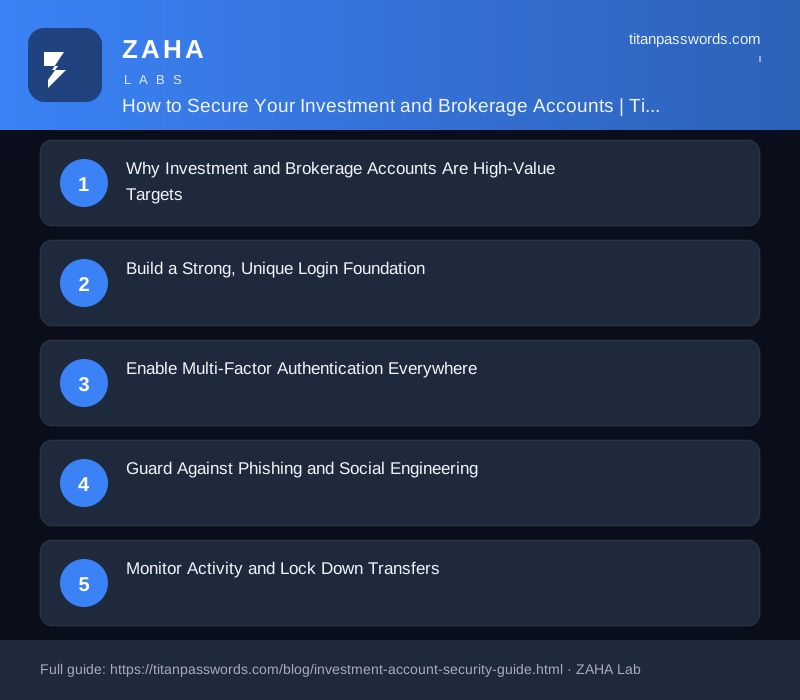
Why Investment and Brokerage Accounts Are High-Value Targets
Investment and brokerage accounts hold some of the most attractive assets a criminal can pursue: liquid funds, transferable securities, and direct links to your bank. Unlike a compromised social media login, a breached brokerage account can be drained in minutes through fraudulent transfers, unauthorized trades, or wire withdrawals. Because these accounts often sit untouched between contributions, suspicious activity can go unnoticed for weeks. Treating them with the same urgency you give your primary checking account is the first step toward keeping your wealth protected.
Build a Strong, Unique Login Foundation
The single most effective defense is a long, unique password for every financial platform. Reusing credentials means one leaked database can unlock your entire portfolio. A password manager like Titan Passwords lets you generate and store complex passphrases without memorizing them, so each account gets its own randomized key. Aim for at least 16 characters mixing letters, numbers, and symbols, and never recycle a password you have used elsewhere.
- Use a dedicated password manager to create and store unique logins.
- Replace any password that appears in a known data breach immediately.
- Avoid predictable details like birthdays, names, or sequential numbers.
Enable Multi-Factor Authentication Everywhere
Multi-factor authentication (MFA) adds a second barrier that stops attackers even when they have your password. Whenever possible, choose an authenticator app or a hardware security key rather than SMS codes, which can be intercepted through SIM-swapping attacks. Most major brokerages now support app-based or hardware MFA in their security settings. Activating it turns a single stolen credential into a useless fragment.
- Prefer authenticator apps or hardware keys over text-message codes.
- Register a backup MFA method and store recovery codes securely.
- Review which devices are trusted and remove ones you no longer use.
Guard Against Phishing and Social Engineering
Many account takeovers begin not with hacking but with deception. Fraudsters send convincing emails, texts, and calls impersonating your broker to trick you into revealing credentials or approving transfers. Always navigate to your brokerage by typing the address yourself or using a saved bookmark rather than clicking links. Legitimate firms will never ask for your full password or MFA code over the phone. When in doubt, hang up and call the official number on the back of your statement.
Monitor Activity and Lock Down Transfers
Early detection limits damage. Turn on real-time alerts for logins, password changes, profile updates, and money movement so you are notified the instant something looks wrong. Review statements regularly and confirm that every transfer and trade is one you authorized. Many platforms also let you set withdrawal restrictions or require additional verification for new payees, adding friction that slows down would-be thieves.
- Enable push or email alerts for every sensitive account event.
- Verify linked bank accounts and remove any you do not recognize.
- Set transfer limits or trusted-recipient rules where available.
Keep Your Devices and Habits Secure
Strong account settings mean little on a compromised device. Keep your operating system, browser, and antivirus updated, avoid logging in over public Wi-Fi without a VPN, and lock every device with a passcode or biometrics. Combined with Titan Passwords managing your credentials, these habits create layered protection that keeps your investments firmly in your control.
The Threat Profile
Attacks on investment accounts typically follow one of three paths:
- Credential stuffing: Automated testing of breach-compiled email/password pairs against brokerage login portals. Protection: unique, strong password for every account.
- Phishing: Fraudulent login pages designed to capture credentials and MFA codes in real time. Protection: FIDO2/WebAuthn hardware keys (cryptographically bound to the legitimate domain, cannot be replayed on a phishing site).
- SIM swap: Social engineering of your mobile carrier to redirect your phone number to an attacker's SIM, bypassing SMS-based MFA. Protection: hardware keys or authenticator apps rather than SMS OTP.
Credential Requirements for Investment Accounts
Apply these requirements to all accounts with significant asset value or transfer capability:
- Minimum 24 characters, generated by CSPRNG — use the Investment Platform preset on the Bank-Tier Compliance Generator
- Unique to each account — never reused from any other service
- Stored in a password manager, not written down or stored in plain text
- Never entered on any page other than the direct brokerage login domain
Choosing the Right MFA
| Method | Phishing-resistant | SIM swap-resistant | Recommended for |
|---|---|---|---|
| FIDO2/WebAuthn hardware key | Yes ✓ | Yes ✓ | All high-value accounts |
| Authenticator app (TOTP) | Partial | Yes ✓ | Where hardware key unavailable |
| SMS OTP | Partial | No ✗ | Last resort only |
| Email OTP | No ✗ | No ✗ | Not recommended |
Account Activity Monitoring
Enable all available notification options in your brokerage settings: login alerts (email and push), transfer initiation alerts, contact information change alerts, and new device registration alerts. For accounts with very high values, consider requesting a call-back or in-person verification requirement for wire transfers — some brokerages offer this as an optional security enhancement.
Securing Your Recovery and Backup Access
Most people lock down their main login carefully but overlook the recovery paths that surround it. Account recovery options — backup email addresses, phone numbers, and security questions — are often the weakest link. An attacker who cannot guess your password may still reset it if they can access your recovery email or port your phone number.
- Use a dedicated email address solely for financial account recovery. Do not share this address publicly or use it for newsletters, shopping, or social sign-ins.
- Avoid SMS-based recovery where possible. If the platform requires a phone number, understand that SIM-swapping attacks can redirect those messages to someone else.
- Where security questions are required, treat the answers like passwords: use random, memorable nonsense rather than real biographical details. Store the answers in your password manager.
What to Do When a Broker Offers Extra Security Features
Many brokerages provide optional security controls beyond the standard username-and-password login. These features are rarely turned on by default, so you have to find and enable them yourself.
- Trusted device lists: Some platforms let you restrict logins to approved devices. Review this list periodically and remove any devices you no longer use.
- Login notifications: Enable alerts for every login, not just suspicious ones. A notification from an unrecognized location or time gives you early warning.
- Withdrawal restrictions: Look for settings that require an additional confirmation step — such as a separate email or waiting period — before money leaves the account. Even if someone gains access, this buys time to respond.
- Paper or verbal passwords: A small number of brokerages allow you to set a spoken passphrase for telephone support calls. Use it if available — it blocks social engineering attacks targeting customer service.
Common Mistakes That Undermine Otherwise Good Security
People often do the hard work of setting up strong authentication and then unknowingly create gaps elsewhere. These mistakes are easy to overlook precisely because they feel unrelated to security.
- Reusing the email address password: Your brokerage password may be unique, but if your login email uses the same password as another breached site, attackers can access the inbox and trigger a reset.
- Staying logged in on shared devices: Auto-login and persistent sessions are convenient but dangerous on any computer or phone that other people can access, including family members or hotel business centers.
- Ignoring security-related emails: Password change confirmations, new device alerts, and login notifications deserve immediate attention. Dismissing them without reading is how breaches go unnoticed for weeks.
- Linking accounts through third-party apps carelessly: Budgeting and portfolio-tracking apps often request read access to your brokerage. Review which apps hold this access, understand what permissions they have, and revoke connections you no longer actively use.
How to Verify Your Security Setup Actually Works
Setting up security controls is only half the task. Confirming they behave as expected is the part most people skip.
- Log out completely and log back in to confirm your MFA prompt appears every time, not just on new devices.
- Check your account's active sessions or connected devices page and verify that only your own devices are listed.
- Attempt to access a recovery option — for example, trigger a password reset — and watch where the notification lands. Confirm it reaches an inbox you fully control.
- Review the account's authorized applications or linked services list at least once per quarter. Remove anything unfamiliar or unused.
Building a Long-Term Security Habit
Security for financial accounts is not a one-time setup. Threats, platform features, and your own circumstances all change over time. A brief monthly review — checking login history, confirming MFA is active, and scanning for unfamiliar sessions — takes only a few minutes and catches most problems early. Treat your brokerage account with the same ongoing attention you would give to the underlying investments. The password and authentication layer protecting those assets deserves the same care.